Courtyard Portrait: a free DaVinci Resolve PowerGrade for S-Log3
4 min readUpdated
Courtyard Portrait is a free PowerGrade for DaVinci Resolve, built on Sony S-Log3 in the soft shade of an old stone courtyard. Compare the grade, download the node setup and the preset, and practise on the original 4K vertical frame.
The look
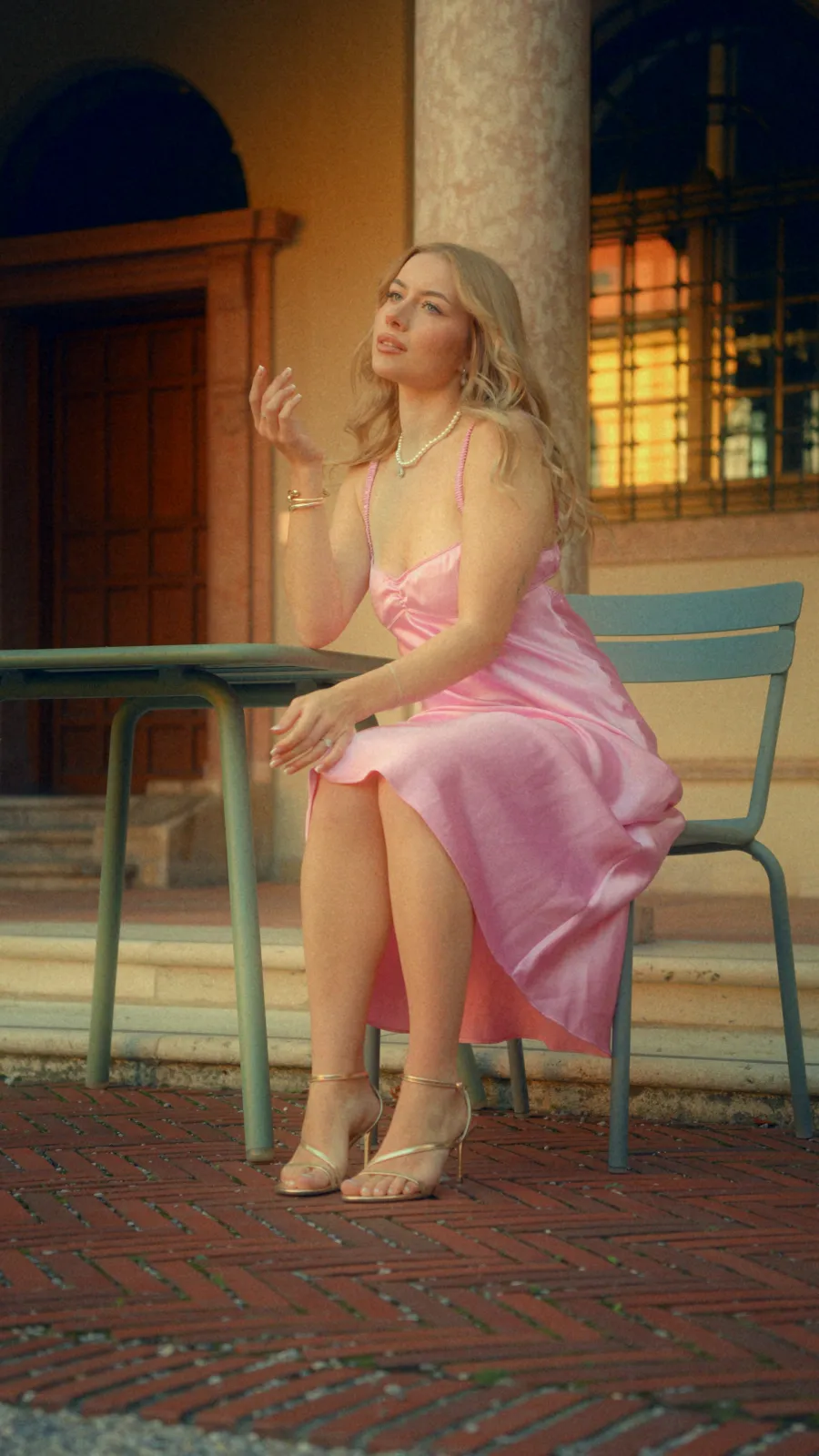
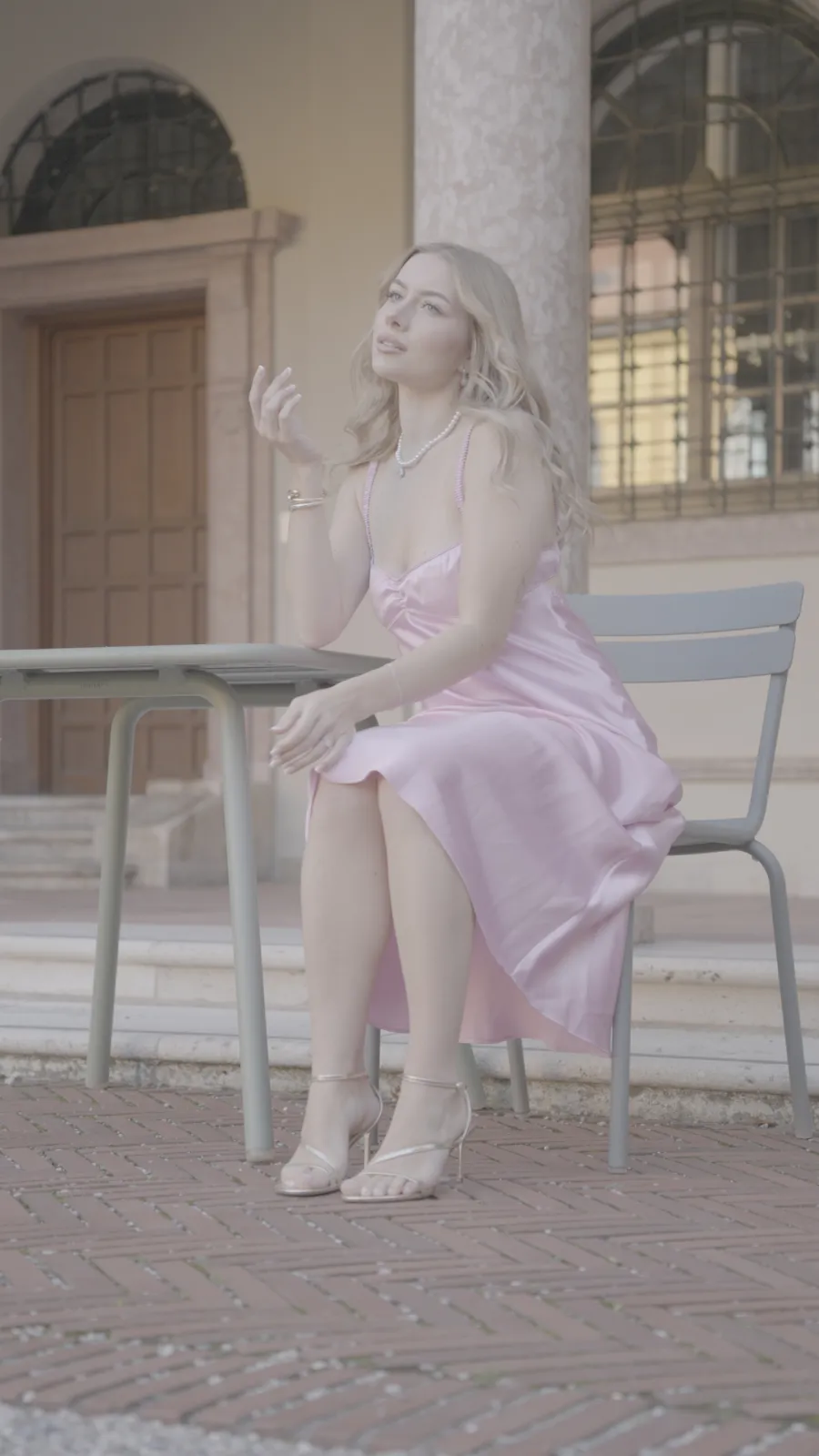
The shade flattens everything in the log frame: the pink dress, the green furniture and the stone all sit at the same grey level. The grade warms the walls into late-afternoon amber, gives the doorway and the window real depth, separates the dress from the chairs, and lays a soft mist and fine grain over the whole frame so it reads as a photograph rather than a video still.
Get the PowerGrade
courtyard-portrait.zip · 31 MB — the PowerGrade (.drx, exported from Resolve Studio 21.1), the Helios Grade preset (.heliospreset), and the original 4K vertical DPX still.
Drop it in — four steps
- 1Install Helios Grade and restart Resolve.
- 2Unzip the download, then open the Color page and select the PowerGrades album in the Gallery.
- 3Right-click in the gallery → Import → pick
courtyard-portrait.drx. - 4Select your clip, right-click the imported still → Apply Grade.
Or load it as a preset
- 1Add Helios Grade to a node on your clip and open its Presets page.
- 2Set Action to Import Presets..., press Execute Action, and pick
Courtyard Portrait.heliospreset. - 3Choose Courtyard Portrait in the Preset menu and press Apply Preset.
Free, watermarked, no expiry
Courtyard Portrait is a single Helios Grade node with its preset included, so the free watermarked version is enough to load it and reshape the look on your own S-Log3 footage.
₹4,999₹3,999.2020% OFF
Code AUTUMN20
Buy once, use it on up to 3 machines, 15 days to change your mind.
Shot on
The footage behind the frames above
- Camera
- Sony a6700
- Lens
- Sigma 17-40mm f/1.8
- Profile
- S-Log3
- ISO
- 800
- Frame
- 4K vertical, 9:16
- Light
- Open shade in a stone courtyard
Closest match: S-Log3 footage in soft, indirect daylight, with skin as the reference. On another camera or in harder light, treat the grade as a starting point and balance the image before pushing the warmth.
Inside the node
Helios Grade, as the preset sets it
- Print Profile
- Fujifilm Eterna
- Exposure (stops)
- -0.22
- Contrast
- 0.61
- Vibrance
- 0.41
- Color Density
- 0.36
- Split Balance
- -0.26
- Glaze Amount / Blur
- 0.70 / 92
- Mist Amount / Radius
- 0.66 / 57
- Halation Amount
- 0.13
- Glow Amount
- 0.09
- Grain Strength / Size
- 0.21 / 1.76
- Vignette Amount
- 0.31
Glaze and Mist do most of the work here. Glaze lays a blurred copy of the frame back over itself, which is what softens the stone and the brick without blurring her face; Mist lifts the highlights into a warm bloom around her hair and the window. Halation and Glow are kept low so the gold sandals and the pearls catch light without ringing.
Make it yours
Nothing is baked into a LUT. The controls stay live, so you can pull back the mist for a crisper frame, cool the split tone for overcast footage, or turn the grain down for a cleaner delivery without rebuilding the grade.
For another S-Log3 portrait from the same camera, Golden Hour Portrait is a separate free PowerGrade with the mask view for every module.
Courtyard Portrait uses Helios Grade. The free version is watermarked and never expires, so you can inspect the grade and test every control before buying. Any current offer is shown on the product page.