Metro Portrait
3 min full guideUpdated
Download the free Metro Portrait PowerGrade for DaVinci Resolve — an F-Log portrait grade built on Helios Grade — with before/after and install steps.
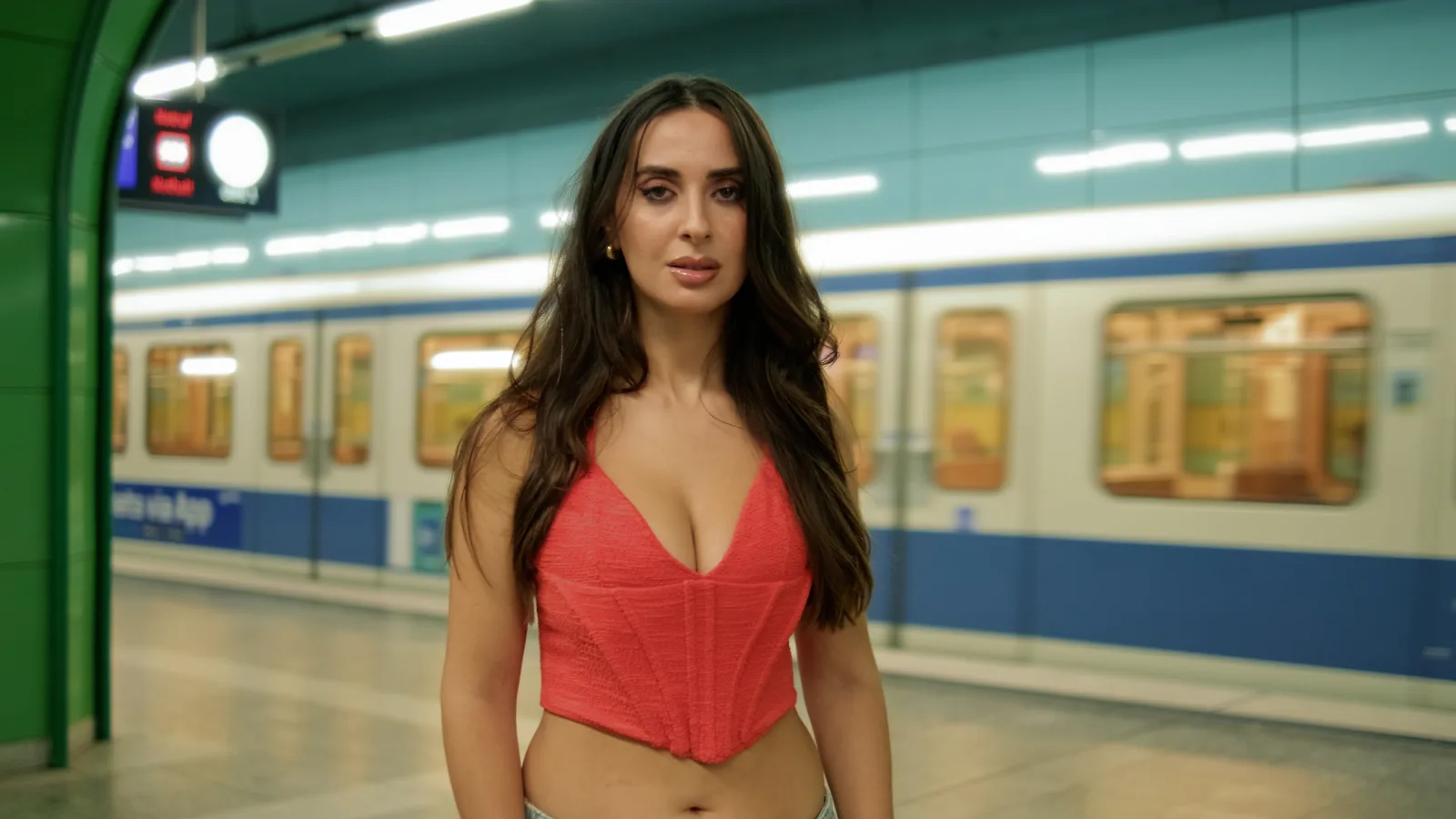
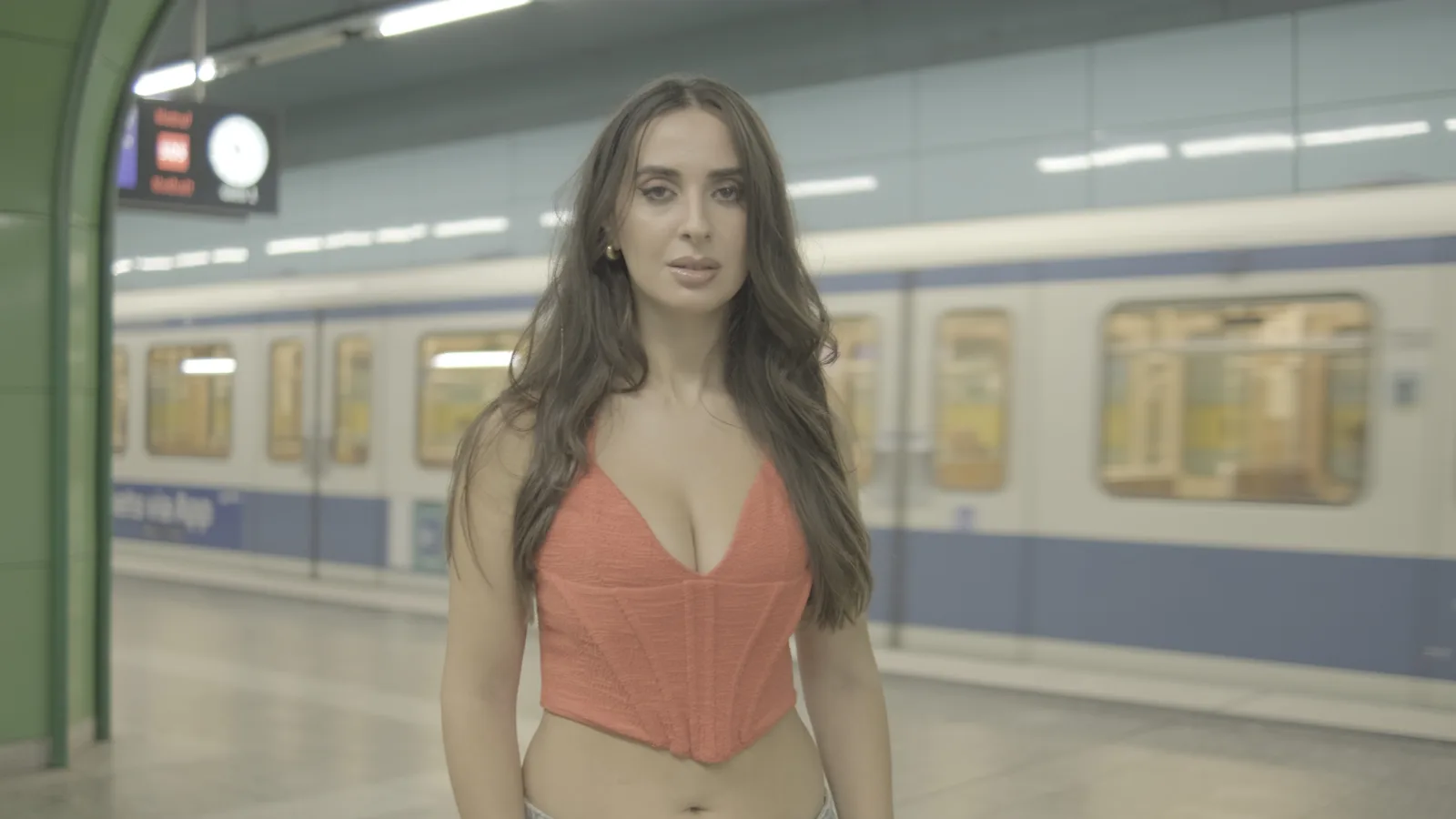
metro-portrait.drx · 80 KB — a DaVinci Resolve PowerGrade still, exported from Resolve Studio 21.
Requires Helios Grade. Install the free plugin first.
Try it in three steps
- 01Compare the two frames and use the example download to inspect the grade.
- 02Check the F-Log conversion and gamut before the creative effects. Do not convert the input twice.
- 03Balance the face first. Blend print colour and light effects while checking the background.
Helios Grade 1.12 setup
Setup → Input Profile: match the camera curve and gamut, or choose Already converted after a CST. Match Working / Output Space. Rec.709 camera inputs offer Helios WDR or Technical; DWG needs a later output transform.
See the input workflow and every tabFull breakdown, settings & downloads
On this page
The example images and downloads preserve the original grade. In 1.12, Film Print appears before Split Tone; nine existing print looks were tuned. Older screenshots may use the previous layout. Check what changed when matching an existing project.
The look
Natural skin against green tile, the red held without running, highlights kept clean. That is the whole grade — one node.
Get the PowerGrade
Drop it in — four steps
- 1Install Helios Grade and restart Resolve.
- 2Color page → Gallery → the PowerGrades album.
- 3Right-click in the gallery → Import → pick
metro-portrait.drx. - 4Select your clip, right-click the still → Apply Grade.
Free, watermarked, no expiry
Metro Portrait's entire look lives in one Helios Grade node, so the PowerGrade needs the plugin installed before Resolve can render it — the free watermarked version opens it too.
₹4,999₹3,999.2020% OFF
Code AUTUMN20
Buy once, use it on up to 3 machines, 15 days to change your mind.
Shot on
The footage behind the frames above
- Camera
- Fujifilm X-T3
- Lens
- Viltrox 23mm
- Profile
- F-Log
- Frame rate
- 60 fps
- Shutter
- 1/100
- ISO
- 800, rising to 5600 in the darker parts of the station
Closest match: log footage, artificial light, skin as the subject. Anywhere else, treat it as a starting point — apply, then rebalance.
Make it yours
We like clean footage, so Grain sits at zero. Want texture? Raise Grain Strength on the node — the film-look breakdown shows what every control does.
Nothing is baked into a LUT. Every control on the node is live. Rebalance skin first — it is the reference this look was judged against.
Metro Portrait is one Helios Grade node doing all of the work. The free version is watermarked with no expiry — no account, no payment — so the grade costs nothing to judge on your own footage.