Make digital footage feel less digital.

Film-look plugins for Resolve’s Color page. Halation, grain, mist, glow, split tone and print character, in small honest moves that still feel like your grade.

How it works

OFX for the Color page · Metal and OpenCL · macOS and Windows · One payment

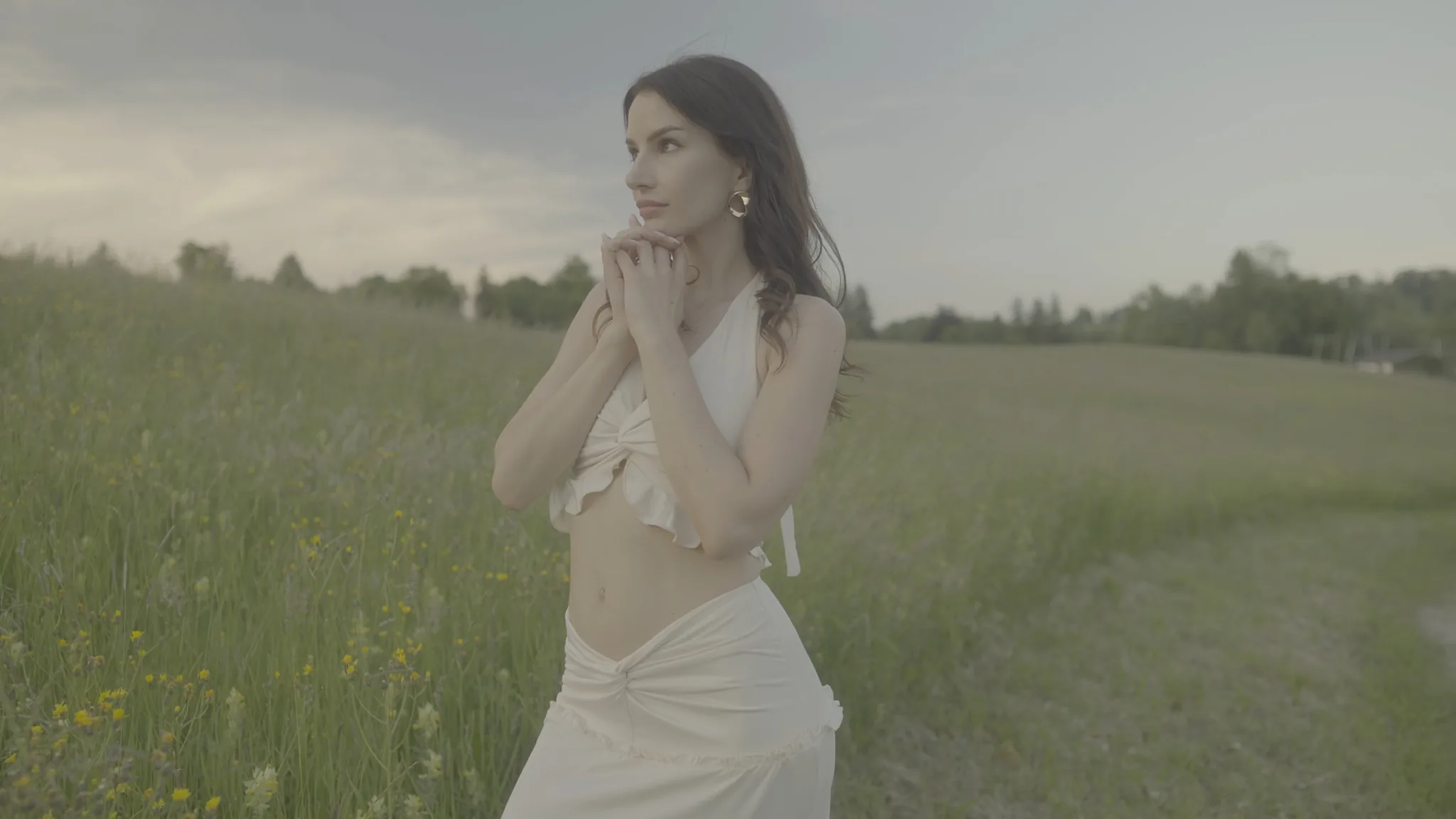
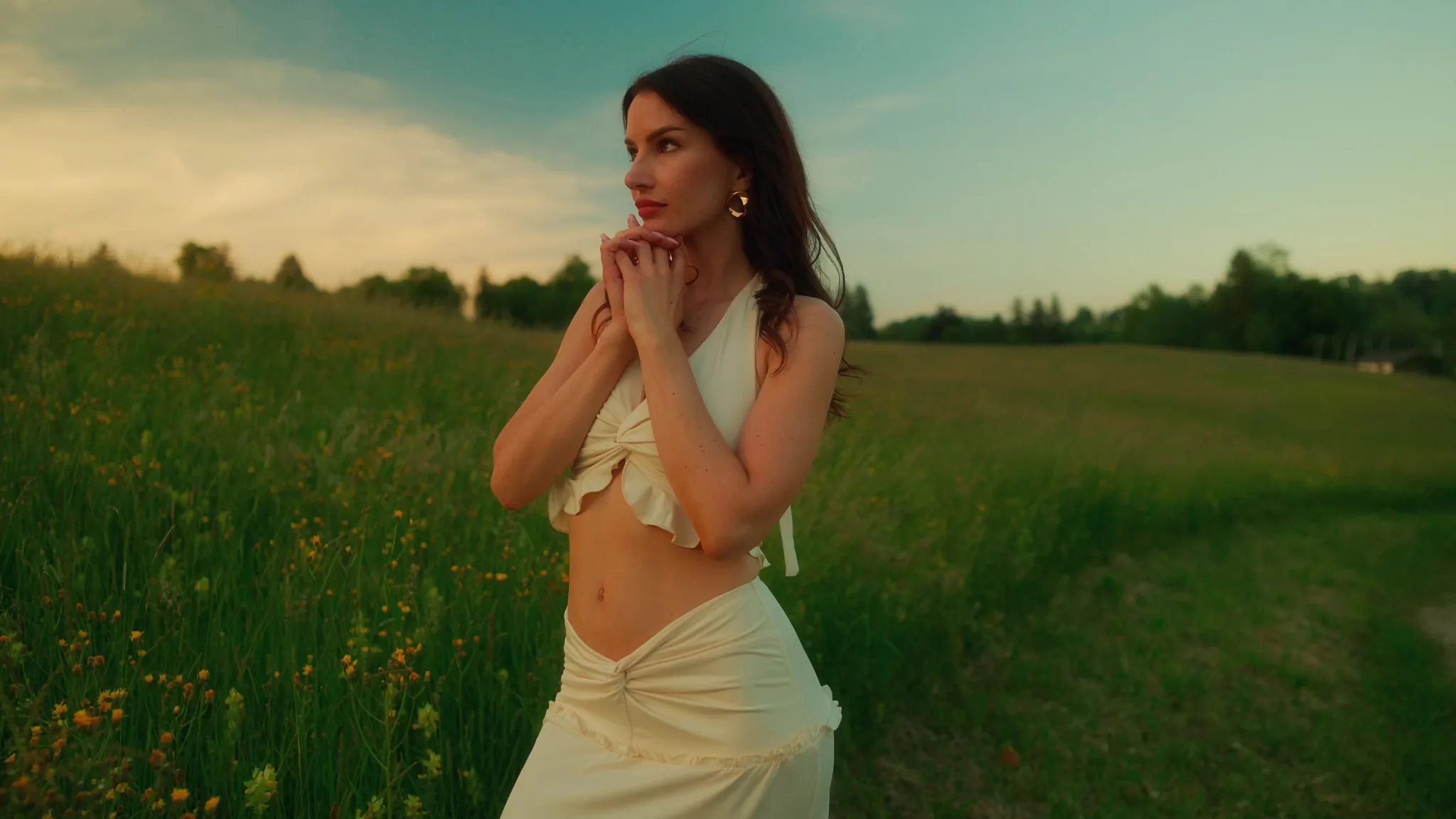
The same frame graded: warm golden light on the skin and the dress, a deep teal sky, and richer greens in the meadow.
An ungraded frame: a woman standing in a summer meadow under a flat grey sky, washed out and low in contrast.Camera
Helios Grade

What you are buying

Format
An OpenFX plugin for the DaVinci Resolve Color page. Add it to a node and keep grading in the tree you already have.
Runs on
Metal on macOS, OpenCL on Windows.
Colour
Rec.709 timelines, or DaVinci Wide Gamut natively: it grades DWG/DI and hands it straight back.
Licence
Perpetual. Activates on up to 3 computers at a time and keeps working offline between checks.
Evaluation
Free, watermarked, with no time limit. Test the look on your own edits, not a demo frame.
Payment
One payment through Razorpay. International cards accepted.

Choose the feature by what the shot is missing.

You do not need to turn on everything. Start with the problem in the image, then use the smallest tool that solves it.

  • Halation, when light feels too clean

    Headlights, windows, candles and neon should feel like they live in the scene. Halation gives bright edges a warm film-like bleed without turning the whole frame hazy.

  • Diffusion, when the scene needs air

    One diffusion module: it blooms the highlights, softens midtone texture, and lets you say how much colour the bloom keeps and where on the frame it lands. Glow lifts bright areas on its own. Pick a filter by name and set how strong it is.

  • Fifty-one print looks

    Film stocks, Portra, Eterna, bleach bypass, cross process, toned monochrome and more — built from live colour matrices and curves rather than baked LUTs, so you keep grading underneath them.

  • Split tone, for colour separation

    Cool the shadows, warm the highlights, protect skin, and keep the image believable. Useful when a flat grade needs direction but not a full LUT.

  • Print and grain, near the end

    Print profiles add a final colour personality. Grain adds texture and movement. Both work best after exposure, contrast and balance are already in place.

A good order: balance, light, colour, texture

  1. 1

    Balance first

    Exposure and contrast before any film texture.

  2. 2

    Shape light

    Halation, mist and glow for practicals and atmosphere.

  3. 3

    Separate colour

    Split tone and density for a clear mood.

  4. 4

    Finish quietly

    A print profile and grain at the end.

Buy once. Own it.

Every product states how it is delivered and licensed.

LicensedOFX pluginFree watermarked version

Helios Grade

Professional film look tools for DaVinci Resolve

Halation, frame-varying grain, three-way split toning and a wide set of print stock profiles in a single OpenFX plugin for the Color page.

  • Perpetual licence — it never expires
  • Activate on up to 3 computers
  • Works natively in DaVinci Wide Gamut
Own it forever₹1,770₹3,54050% OFFCode LAUNCH50 at checkoutInternational cards accepted
Explore
LicensedOFX pluginFree watermarked version

Locus

Luminosity masking for DaVinci Resolve

Three soft luminosity bands and a skin unit built on the skin locus, in a single OpenFX plugin for the Color page.

  • Three soft luminosity bands — Tone, Width and Rolloff
  • A viewable mask on every unit
  • Skin protection built on the skin locus
Own it forever₹590₹1,18050% OFFCode LOCUS50 at checkoutInternational cards accepted
Explore

One-time purchase, no subscription · Licensed products activate on up to 3 computers · macOS and Windows, with step-by-step install instructions · Secure payment through Razorpay

Learn the technique first.

How to build these looks by hand in Resolve, the node tree before the shortcut. Useful whether or not you ever buy anything.

All tutorials